Music Tiles 91.2
Publisher Description


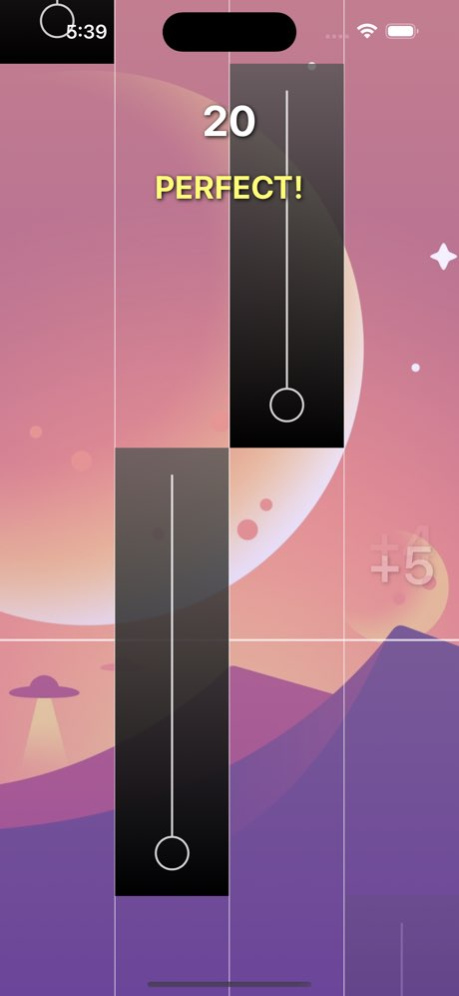
Welcome to Music Tiles 9, the 2025 Music Tiles game, where everyone can become a great pianist.
Many genres of music: Classical, Country, EDM, Anime, Pop, KPop, Dance, Rock, Rap, etc ...
Enjoy the music, challenge your friends, improve your tapping speed
Game features:
- Simple graphics, simple game-play, simple rule
- Many instruments: Grand Piano, Harp, Celesta, Vibraphone, Drums, Bass, Violin, Guitar
- Break your handspeed limit by breath-taking rhythm
- Many genres of music: Classical, Country, EDM, Anime, Pop, KPop, Dance, Rock, Rap, etc ...
- New songs Update Daily from various artists: Modern and classical like Chopin, Beethoven, Johann Sebastian Bach, Franz Schubert ...
- Perform your favorite piano songs and impress all your friends with your piano music speed and talent
- Hottest piano songs to feel the beautiful music melodies beyond imagination through every tap with perfect timing tiles
- Enjoy the magical tiles by yourself without internet interruption.
This excellent piano game has more challenges in store for you than you imagine
Permission:
- In order to provide the optimal experience, we ask for "Storage", "Wifi" permission when you download this game.
Version History - Bug Fixed. 1.2 Jan 27 - Bugs fixed & improve performance. 1.1 08/16/2025 1.0 10/03/2024
About Music Tiles 9
The company that develops Music Tiles 9 is Van Manh Nguyen. The latest version released by its developer is 1.2.
To install Music Tiles 9 on your iOS device, just click the green Continue To App button above to start the installation process. The app is listed on our website since 2026-10-14 and was downloaded 1 times. We have already checked if the download link is safe, however for your own protection we recommend that you scan the downloaded app with your antivirus. Your antivirus may detect the Music Tiles 9 as malware if the download link is broken.
How to install Music Tiles 9 on your iOS device:
- Click on the Continue To App button on our website. This will redirect you to the App Store.
- Once the Music Tiles 9 is shown in the iTunes listing of your iOS device, you can start its download and installation. Tap on the GET button to the right of the app to start downloading it.
- If you are not logged-in the iOS appstore app, you'll be prompted for your your Apple ID and/or password.
- After Music Tiles 9 is downloaded, you'll see an INSTALL button to the right. Tap on it to start the actual installation of the iOS app.
- Once installation is finished you can tap on the OPEN button to start it. Its icon will also be added to your device home screen.
Program Details
System requirements
Download information
Pricing
Version History
version 1.2
posted on 2026-10-14
Version History - Bug Fixed. 1.2 Jan 27 - Bugs fixed & improve performance. 1.1 08/16/2025 1.0 10/03/2024
version 1.2
posted on 2026-01-27
- Bug Fixed.
version 1.1
posted on 2025-08-16
- Bugs fixed & improve performance.
